Say it.
Schedule it.

Free, all features unlocked · iPhone · 8 languages
Natural Language

Say it or type it — same smart parse

Speak or type "buy milk tomorrow 3pm urgent." Task(ed) pulls the date, time, priority, and even the list out of plain language and drops it in — no forms, no menus.

Lists

One Line, the Whole List

Open a list and type your items separated by commas — "taco shells, ground beef, lettuce" — and Task(ed) adds them all at once. Review everything in a single confirmation before it lands.

List page prompting to separate items with commas to add multiple at once Confirmation card adding eleven grocery items to a list at once
Scheduling

Auto-Sorted. Nothing Slips.

Tasks group themselves by day — tomorrow, this week, next week. Due-time chips and priority dots on every row, so the next thing is always in view.

Upcoming view with tasks grouped under Tomorrow, Tuesday, Saturday, and Sunday
Calendar

Dots, Markers, and a Daily Drill-Down

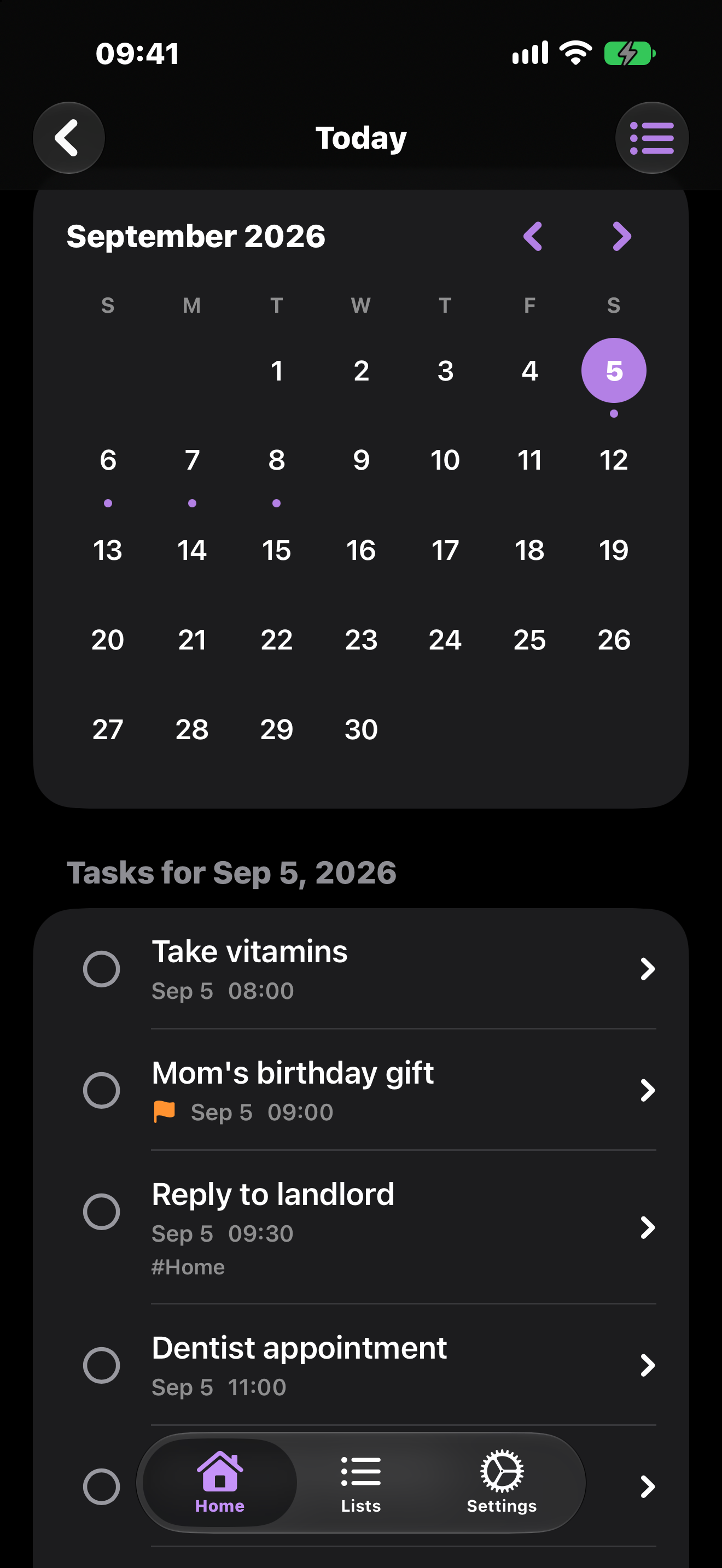
A visual calendar with task indicator dots and overdue markers. Tap any day to see exactly what's scheduled, then zoom back out to the month.

Month calendar with task dots and the selected day's task list below
Home

Overdue, Today, Upcoming — Sorted for You

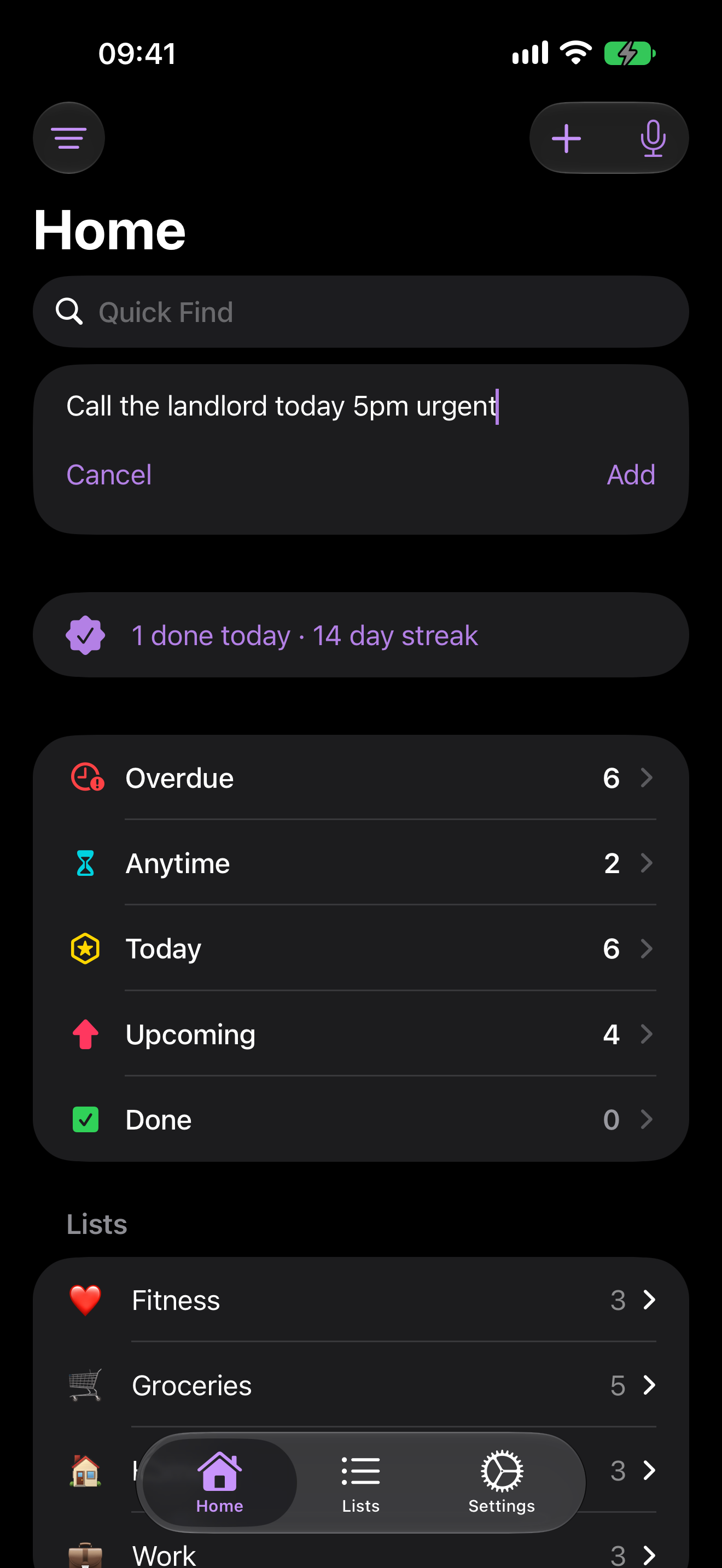
Home opens to smart sections that file every task by when it's due, with your custom lists right below. One screen, the whole picture.

Home screen with Overdue, Anytime, Today, Upcoming, and Done sections above custom lists
Overdue

Clear the Backlog in One Shot

When overdue tasks pile up, Plan My Day lets you select them all and batch-reschedule — Today, Tomorrow, This Weekend, or Next Week — in a single pass. Or hit Defer All to move everything at once and get back to a clean slate.

Plan My Day sheet with overdue tasks selected and Defer All options at the bottom
See it in motion

The whole flow, in half a minute

From a spoken thought to a scheduled, sorted task — watch Task(ed) parse it in real time.

What's New

Quick Reschedule & Plan My Day
v2.8
June 2026
  • Long-press any task and choose Today, Tomorrow, This Weekend, or Next Week from the new Reschedule menu — or pick any date from a calendar. Tasks move in one tap; recurring tasks keep their original cadence.
  • When two or more tasks are overdue, a Plan My Day button appears in the Overdue toolbar. Select the tasks you want to move, batch-reschedule them, or use Defer All to push everything at once.
Automatic iCloud Backup
v2.7
June 2026
  • Your tasks, lists, and tags now back up to your private iCloud automatically. Reinstall the app or set it up on a new device and Task(ed) offers to restore everything — plus a "Restore from iCloud" button for restoring on demand.
  • Reminders survive a restore. Restoring from iCloud or a backup file now re-schedules your reminders, so your notifications keep firing after a reinstall instead of silently disappearing.
  • Works alongside the existing file export/import — your data has two ways home.
On-Device Voice Capture & Smarter List Routing
v2.6
June 2026
  • Voice capture now runs Apple's on-device model first (iOS 26): it splits a ramble into separate tasks and pulls each due date in one pass, with deterministic checks so it never invents a date you didn't say.
  • Spoken tasks route to the right list — say "put toothpaste on my shopping list" and it lands there, even offering to create the list when you name a new one.
  • Longer pauses no longer cut you off mid-ramble, and the app-icon picker rows are fully tappable again.